Lights
Lighting that follows daylight
The more sun comes in, the fewer lights are on. Without touching a switch.
The pool, padel court or common room are booked from the phone, and the booking opens the door only during its slot. Notices reach the same app, and access is granted and removed from a dashboard: bookings, users, deposits and door openings, all in one place.
Owners' associations, their committee chair and the property manager who runs them.
Disputes over the pool or the padel court, garage remotes that get lost or copied, and notices in the lift that nobody reads. It all ends up on the property manager's phone.
Whoever manages the community stops lending keys and keeping the booking sheet: bookings, users, deposits and access in one dashboard. Notices reach each resident's phone, and access is granted and removed without remotes or keys.
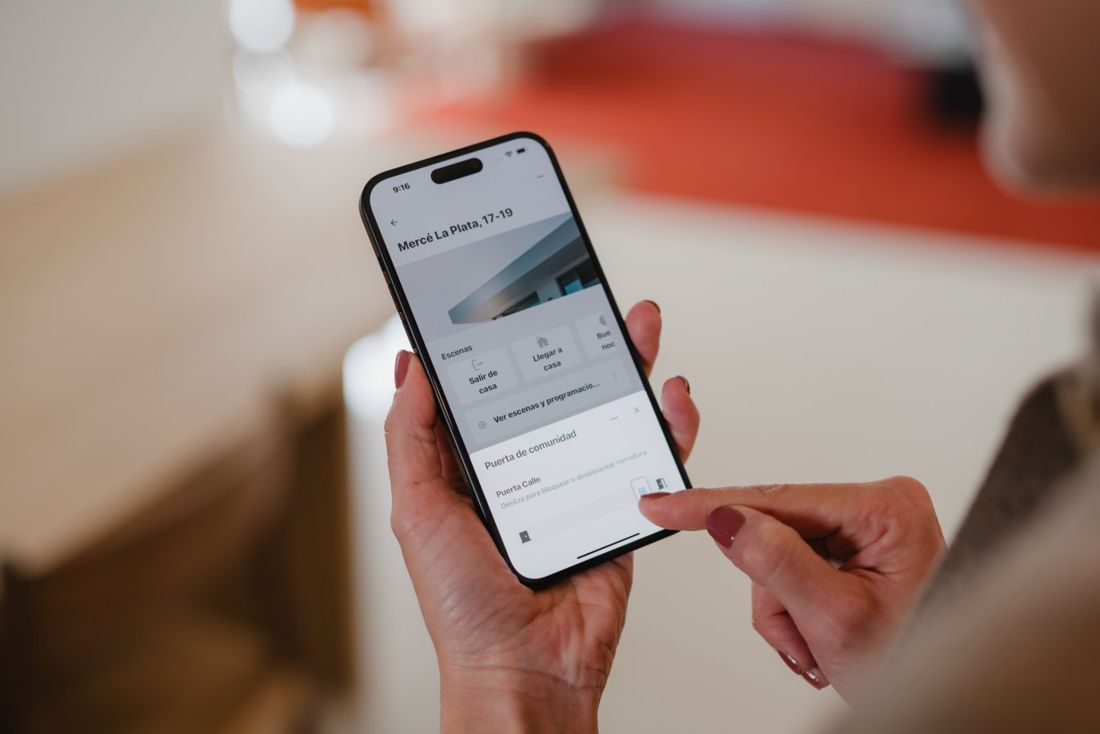
The same app opens the main entrance, books the court and shows the notices: residents don't have to install anything else.
Water cuts, building work, meetings or pool rules: they're posted from the dashboard and reach residents' phones with a notification. To the whole building or only to the homes affected.
Pool, padel, common room or barbecue booked from the app, with the rules, capacity and slots the community sets. The booking opens the door only during its slot: bookings enforce themselves, with no one keeping watch.
Digital key on your phone for the main entrance, garage and shared areas, with an entry log and temporary access for visitors or suppliers.
Spaces and Lock come from the same manufacturer: the booking is what opens the door, and only during its slot. Before and after, it doesn't open. This is how residents see it in the app.
One booking per home per day, for one hour at most. Turn the lights on when you start and off when you finish.
Video intercoms for residential communities in three tiers: Classic, Pro and Smart. With Lock, the main entrance can also be opened from the phone.
See video intercoms →Garage and shared areasA new resident is given access and a departing one has it removed from the dashboard, without changing locks or collecting remotes.
See Lock →We're preparing a programme for property managers. Join the list and we'll let you know when it's ready.
No. Opening the main entrance, booking a shared area and reading notices are all done from the same Alfred app.
Yes. Each shared area has its own time slots, capacity and usage rules, and they can be changed from the dashboard.
Yes. Each notice is published to the whole building or only to the homes you choose, for example those left without water by a fault.
With battery-powered locks, no: the motorised lock or electronic cylinder is fitted on the existing door. The PIN keypad and the relay need an electrified door, and an electrician prepares that.
Tell us how many homes and shared areas it has and what you want to solve first: notices, bookings or access.