Lights
Lighting that follows daylight
The more sun comes in, the fewer lights are on. Without touching a switch.
Main entrance, homes, rooms, shared areas and garage with no keys or remotes. You add and remove users, invite with a start and end date, revoke whenever you want and see who opened each door.
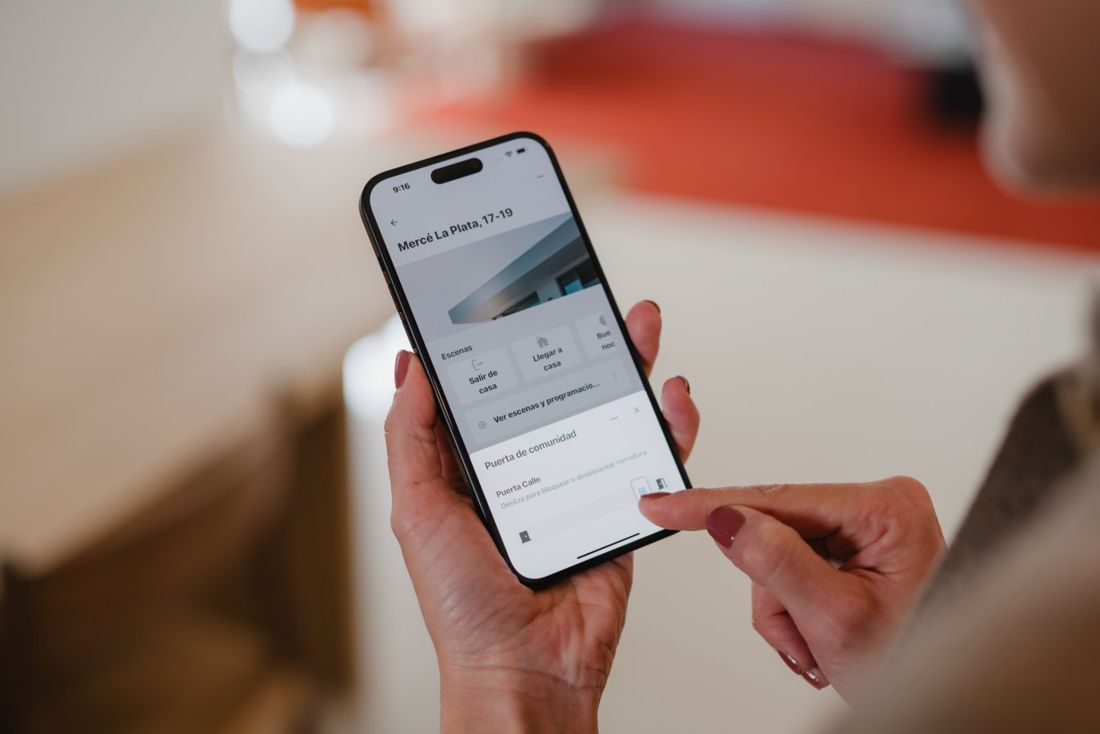
How your user sees it: the screens recreate the real app and you can use them. Press and hold the key to open.
How your user sees it. Each access has its own page in the app: swipe to open and see whether the door is open or closed. From the room card, just press and hold the key.
Try it: drag the handle to the open door.
On the doors you choose, the app requires being within a perimeter before opening: 500 m by default. And every opening is logged.
How your user sees it if they haven't turned on location.
To guarantee security, we need to confirm your location. Turn on location permissions to get access.
CloseYour team invites cleaning, maintenance or visitors only to the doors and at the times needed. Once it expires, the invitation stops opening. And you can revoke it earlier.
This is how an invitation is created in the app:
Try it: type a name, choose the doors and press “New invitation”.
Lock isn't sold on its own: it's the door for Home, RoomControl and Spaces, in the same app and the same dashboard.
Each home's door, in the same app as the lights, climate and blinds. Tenants swipe to open in the app. Your team sends invitations with a start and end date, revokes them when they're no longer needed and sees the log of every opening.
The key reaches the guest's phone with the booking. No lost or badly encoded cards, and no stop at reception.
Gym, coworking, rooms and laundry booked from the app: the booking opens the door only during their slot. Outside their slot, the door doesn't open.
Doors, access and parking from your phone: add and remove users, visitors with a start and end date, and a log of every opening.
Main entrance, shared areas and parking with no remotes or keys.
The lock is chosen to suit the door. Only battery-powered ones need no building work.
Replaces the cylinder, with no building work. Battery-powered.
Fits over the cylinder. Battery-powered, no cables.
To open with a code. Needs an electrified door: an electrician prepares it.
For electric and automatic doors, such as the garage door. Needs an electrified door: an electrician prepares it.
For those who'd rather not use their phone.
Connects compatible locks. Needs internet.
IP video intercom at the main entrance? Integration is confirmed for each project. See the device catalogue →
Connects the doors to the app. How many depends on coverage to each door. Each one needs internet via cable or wifi.
Depending on the door: a battery-powered cylinder or lock, or a keypad and relay on an electrified door.
Installation and door electrification are done by an installer, following Alfred's guide.
No. The electronic cylinder replaces the lock barrel on doors with a standard European cylinder. The PIN keypad and the relay need an electrified door: an electrician prepares it.
They can open with a PIN code on keypad locks or with an NFC tag.
Yes. Permanent access for residents or employees, and temporary access, with a start and end date and time, for visitors, cleaning or maintenance. Temporary access stops working by itself when it expires.
Yes. Every opening is logged with the person, the door and the time.
With Spaces, a booking opens the door only during its slot.
We'll show you how move-ins, move-outs and invitations work in your building.