Lights
Lighting that follows daylight
The more sun comes in, the fewer lights are on. Without touching a switch.
The Hub is the dashboard for whoever manages the building. Choose the project and, in Home, see what needs attention today, with a summary of each contracted module.
On the left, the project and the modules it has contracted. On the right, the module's screen with its figures and alerts.
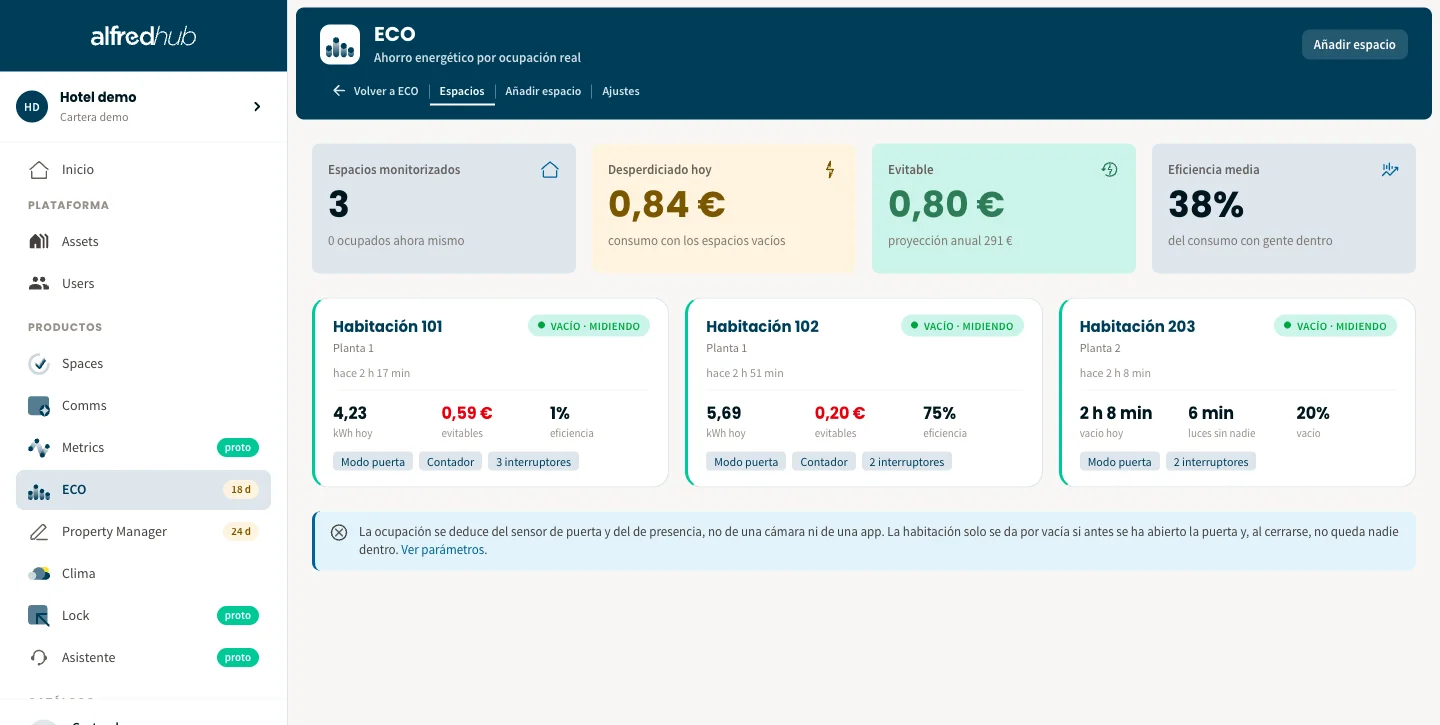
The first thing the manager sees on logging in: what needs attention in each product in use.
The signals from each module, red ones first, and each one links to the exact screen where it gets resolved.
Two or three figures and a line of reading, calculated by the module itself. Those with alerts go first.
Each project shows the modules it has. What one building has, another doesn't have to.
Each contracted product has its place in the Hub. This is what you do in each one, without leaving the dashboard.
The spaces with their opening hours and rules, bookings in a weekly calendar and maintenance blocks. And deposits: they are held before the booking and the manager charges or releases them.
See Spaces →The manager publishes events and news, in Spanish and English, for the whole building or just for some homes. They reach the residents' app, with a notification if desired.
See Comms →The log of every opening and invitations with a start and end date, which can be revoked. The manager decides which doors require you to be nearby to open them.
See Lock →The view of the whole portfolio and of each building, reports in PDF and Excel, a read-only link to share and reporting for tenants and investors.
See Metrics →The time and spend of each empty room, room by room. In pilot in hotels and residences.
See Eco →The BMS and meters you already have, read by the platform.
See integrations →The Hub is not for the resident or the guest: it is for those who manage. Each person sees the modules for their line.
The consumption of each building and each unit, the data for BREEAM, EPBD and ESG, and the reports for the owner.
See Metrics →SpacesThe workplace or facility manager, the coworking or flex living operator and the manager of a BTR building: bookings, deposits and doors on one dashboard.
See Spaces →Eco · pilotWhich rooms use energy while empty and how much, to decide where to save.
See Eco →At the Mutualidad de la Abogacía headquarters in Madrid, Metrics, Spaces and Lock work on the same platform.
SmartScore Gold
+7 % asset value
+5 % in rent
We show you the Hub with a project like yours.